Introduction
Konnichiwa! Welcome to the AI Automation Dojo. Today, we’re exploring the romantic world of European logistics, which, it turns out, is less about scenic drives through the Alps and more about a black hole filled with crumpled, coffee-stained paper.
I’m your host, Andrzej Kinastowski, one of the founders of Office Samurai, where we believe the only thing that should be “potato quality” is vodka.
So, whether you’re an automation lead tired of your OCR engine having an existential crisis over a date format, or an executive who just wants to pay people for moving frozen fish without losing your mind, you’re in the right place.
Now grab your favorite katana – or maybe just a high-contrast, 300 DPI scanner – and let’s get to it!
Chapter 1: The “Logistics Swamp”: Navigating 10+ document types
Today, we are driving straight into the mud. We are talking about Logistics.
Now, if you work in a nice, air-conditioned office, you might think logistics is just moving a box from Point A to Point B. But if you look at the data side of it, it’s more like moving a box from Point A into a black hole filled with paper.
We recently tackled a project for a major logistics client, and let me tell you, their “incoming document stream” wasn’t a stream. It was a swamp.
So, here is the reality. You have trucks driving all over Europe, from Lisbon to Tallinn. And every time a truck stops, a document is born.
We aren’t just talking about nice, clean PDFs generated by an ERP system. We are dealing with over 10 different types of documents. You have your Invoices. You have your CMRs – that’s the International Waybill for those who don’t speak “Trucker”. You have Pallet Receipts. You even have Thermographs – which are just temperature logs to prove the frozen fish didn’t go bad out in a traffic jam near Berlin. And then, you have the villain of our story: The Delivery Note document.
Now, a document like a CMR is standardized. It looks the same everywhere. But a Delivery Note? Every warehouse in Europe has a different layout. Some look like spreadsheets, some look like letters, and some look like ransom notes.
And how does this data get to the head office? Well, the driver – who has been driving for 8 hours and just wants a coffee – takes the piece of paper, puts it on their knee, and snaps a photo of it. And let’s be honest about the camera quality here. We aren’t talking dSLR. We are talking about photos that look like they were taken with a potato.
So the client sends us this dataset. It’s crumpled paper. It’s bad lighting. It’s handwriting that looks like it was done while driving over a speed bump. And it’s in every language known to the European Union.
The client was so beaten down by this process that when we asked them for their goals, they looked at us with sad, tired eyes and said: “Look, if you can automate 30% of this… we will pop the champagne”.
Thirty percent. That is the bar. That is how low the “Dirty Data” reality pushes your expectations. You stop dreaming of “Straight Through Processing” and just pray for “Slightly Less Manual Suffering”.
So we looked at that pile of digital garbage and thought: “We’re gonna need some sharper swords”.
Chapter 2. “Potato Quality” photos & the reality of dirty data
So, we’ve established that we are in a swamp. A swamp made of paper, diesel fumes, and despair. But before we talk about how we drained the swamp, we need to understand exactly what kind of monsters are swimming in it. Because if you don’t respect the monster, it will eat your automation budget for breakfast.
Let’s double-click on this “Incoming Document Stream”. When I say “Stream,” don’t think of a nice, bubbling brook in the Swiss Alps. Think of a firehose spraying mud directly into your face.
We mentioned there are over ten different types of documents. And if you’re a developer listening to this, you’re probably thinking: “Ten types? That’s cute. I’ll just build ten templates and call it a day”.
Oh, my sweet summer child. You have no idea.
Let’s look at the cast of characters. You have your Invoices – okay, annoying, but manageable. You have your CMRs – the International Waybills. These are actually the “good guys”. They are standardized. They have boxes. They look the same whether they come from France, Poland, or Germany. They are the disciplined soldiers of the logistics world.
But then… then you meet the Boss Villain. The final boss of the logistics level. The Delivery Note.
In our project, the Delivery Note was the stuff of nightmares. Why? Because unlike the CMR, the Delivery Note has zero respect for standardization.
Every warehouse in Europe seems to treat the Delivery Note as a creative writing exercise. Some look like Excel sheets. Some look like Word documents from 1995. Some look like they were typed on a typewriter that was missing half its keys. And they come in every language known to the European Union.
We aren’t just teaching a robot to read “Delivery Note”. We are teaching it to read Lieferschein in German, Bon de Livraison in French, Wydanie towaru in Polish, and probably something in Klingon if the driver took a wrong turn near Dusseldorf.
And the layout? Forget about it. The data you need – the recipient, the weight, the date – could be in the top right, the bottom left, or buried in a paragraph of legal text about liability for damaged pallets. It’s not structured data; it’s an Easter Egg hunt where the egg is made of misery.
But wait! It gets worse. Let’s talk about the medium.
In a perfect world, these documents would be scanned on a nice Canon scanner at 300 DPI. But this is logistics. The office isn’t a building; the office is the cab of a Scania truck parked on the side of the A4 highway.
The person digitizing this document is a driver who has been on the road for many hours. They wants a hot dog, a coffee, and a nap. They do not care about your OCR engine’s contrast requirements.
So what do they do? They put the document on their knee. They take their phone – which I’m pretty sure is a Nokia from 2004 – and snap.
The result? We call it “The Potato Quality”. We received files that were blurry. Files that were dark. Files where the flash reflected right off the glossy paper, blinding the robot exactly where the Order Number was supposed to be.
We even saw documents where the critical information – the proof that the goods were actually delivered – was written in pencil. On a piece of paper resting on a driver’s denim jeans.
Try explaining that to a standard OCR engine. “Hey computer, please read this faint graphite scribble on a background of blue denim, taken at a 45-degree angle in low light”. The computer doesn’t just fail; it files a harassment complaint against you.
And it’s not just about reading the text. Then you got to the business logic you have to apply to this thing.
In this specific project, the client didn’t just need us to extract the data. They needed us to be the Judge, Jury, and Executioner. Take the dates, for example. You’d think a date is a date, right?
Wrong.
The process required us to verify the Unloading Date. But there are multiple dates on each document, sometimes it’s not obvious which is which. And also, in the real world, trucks get stuck in traffic. Warehouses get full. Things happen. So the rule wasn’t “Does the date match with the system?”
The rule was: “Is the Unloading Date on the document within plus or minus FIVE days of the date in the system?”.
And if the date isn’t on the invoice? Well, sometimes you have to look at the CMR. If it’s not on the CMR, check the Delivery Note. If it’s not there… well, then you have to apply a fallback rule: “If it’s missing, assume the system date is correct, unless it’s a Tuesday, in which case call a human”. (Okay, I’m exaggerating, but only slightly).
This is why the client wanted to automate as much of it as possible. They had humans doing this. Smart, capable humans who were spending their days squinting at bad photos, calculating date ranges, and trying to decipher handwriting that looked like it was done during an earthquake.
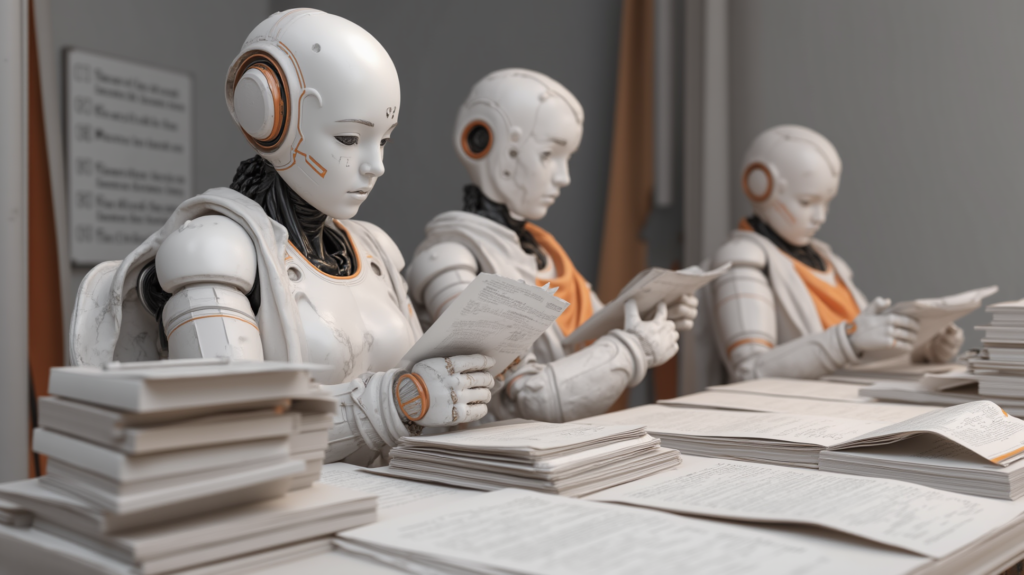
It destroys morale. We talk about “Meatware” – using humans as middleware to bridge the gap between systems. This was Meatware at its worst. It’s the kind of job that makes people quit. It’s the kind of job that makes people question their life choices.
We looked at this mess – this chaotic mix of 10+ document types, 20+ languages, pencil scribbles, and potato-quality JPEGs – and we saw a challenge. We knew that standard tools wouldn’t cut it. You can’t attack a swamp with a teaspoon. You need an excavator.
We needed a way to:
- Classify this mess instantly. Is it a CMR? Is it a ransom note?
- Split the files. (Oh yes, did I mention? These photos often come in one giant PDF file where Invoice, CMR, and Delivery Note are all stapled together? Yeah, that’s a fun one).
- Extract the data with superhuman vision.
- Validate it against the ERP and those crazy business rules.
We realized we couldn’t just use “Old School” OCR. We needed the heavy artillery. We needed to combine the precision of structured tools with the “fuzzy logic” brain of Generative AI. We needed to move from being “Ticket Agents” to being “Data Archaeologists”.
So, how did we do it? How did we take a process that was aiming for a 30% win and turn it into a showcase for Next-Gen Automation?
Well, first, we had to solve the biggest hurdle of them all: The Bulk File Problem.
Or as I like to call it: “The PDF Smoothie”.
Chapter 3. The Classification & Splitting Hurdle
In a perfect world, a file named “Invoice.pdf” contains an invoice. In the real world, a file named “Scan_001.pdf” contains… chaos.
You see, often these documents don’t arrive as neat, separate files. They arrive as one giant, twenty-page PDF attachment.
Inside that one file, you might have:
- Page 1: The Invoice.
- Page 2: invoice continued
- Page 3: A CMR.
- Page 4: A Delivery Note.
- Page 5: A Thermograph – remember, the temperature log for the frozen fish.
- Page 6: A random photo of a pallet.
- Page 7: A high-resolution image of the sender’s email footer, complete with a headshot of “Barbara from Accounting”.
Now, if you throw this PDF Smoothie at a standard robot, it chokes. It doesn’t know where the Invoice ends and the Thermograph begins. It just sees a wall of text.
So, the first step isn’t reading. It’s slicing. We need to cut this digital snake into pieces and sort them into buckets.
And this is where the “Old School” technology falls flat on its face.
In the past, we used something called an “Intelligent Keyword Classifier”. Sounds fancy, right? It’s basically a robot that counts words. You tell it: “If you see the word Invoice, put it in the Invoice bucket. If you see Temperature, put it in the Thermograph bucket”.
Simple. Elegant. And… completely useless in this case.
Why? Because all these documents use the same terminology!
A Delivery Note lists the weight. The Invoice lists the weight. The Transport Order lists the weight.
They all have dates. They all have addresses. They all have the word “Total”.
So the Keyword Classifier looks at a document and says: “Boss, I found the word ‘Date’ and ‘Weight’. It’s an Invoice! Or maybe a CMR? honestly, I’m just guessing”.
And the stakes here are actually high. Remember the “Transport Order” I mentioned? That’s an internal document. It often shows the carrier’s margin – how much money they are making on the trip. If your robot accidentally classifies that as a “Delivery Note” and sends it to the end client, you aren’t just sending bad data. You are leaking commercial secrets.
So, we had to ditch the keyword counting. We needed a brain. We deployed GenAI-powered splitters.
Instead of looking for specific words, these new agents look at the context.
The AI looks at the page and understands: “Okay, this page has a table with prices – that’s an Invoice. The next page has a signature box and terms of carriage – that’s a CMR. Oh, and this next page is just a photo of a moody sunset over the Autobahn – delete that”.
It’s the difference between a tool that does “Word Search” and a tool that actually reads. By using GenAI to split and classify, we turned that “PDF Smoothie” into neat, organized stacks of digital paper.
And once we had those clean stacks? Then we could finally start the surgery. Then we could start extracting the data.
But as we found out… reading a clean document is one thing. Reading a document written by a tired driver on a bumpy road? That’s where the real fun begins.
Chapter 4. Data Extraction with UiPath DU (Document Understanding)
This brings us to the tool of choice: UiPath Document Understanding, or DU for short.
Now, usually, when you sell DU to a client, you show them the “Happy Path”. You show them a crisp, digital PDF of an invoice. The tool looks at it, extracts the “Total Amount” instantly, and everyone claps.
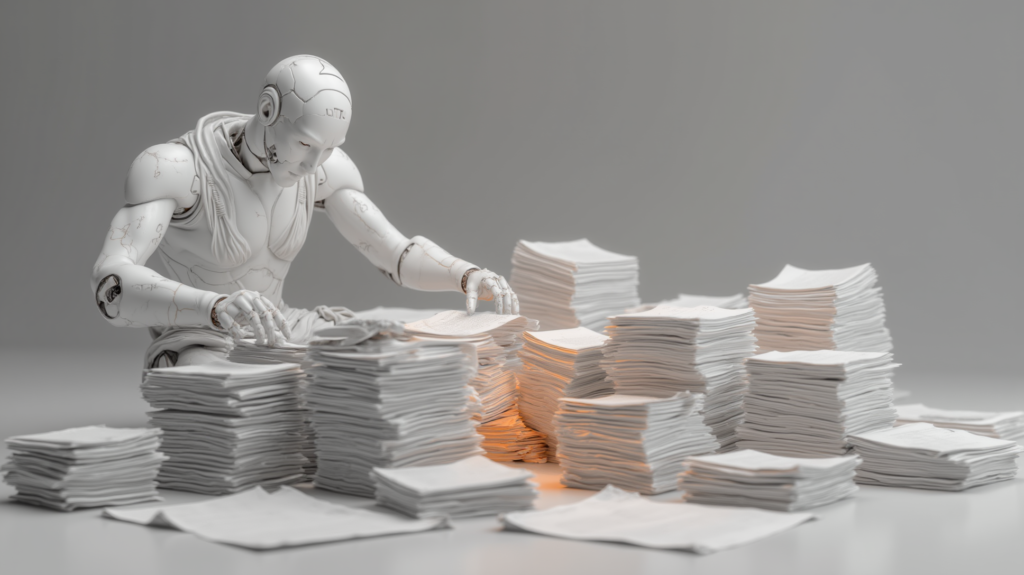
But remember, we are in the swamp. There are no “Happy Paths” here.
We had two very different battles to fight here.
First, we had documents like the CMRs. As I mentioned, these are the “structured” documents.
Extracting data from a CMR is like filling out a government form. Boring, but predictable. Box 16 is always the Carrier. Box 24 is always the Date.
The robot looks at the grid, finds the coordinates, and pulls the text. It’s not magic; it’s geometry.
But then… we had things like the Delivery Notes. And this is where we had to break out the heavy machinery.
Because these documents weren’t just “unstructured”. They were hostile. We are talking about documents often written by hand, often in pencil, on a piece of paper that was resting on a driver’s knee while he was driving a 40-ton truck.
And if that wasn’t enough, these documents are often covered in stamps. You know the ones – big, purple, angry ink stamps that say “RECEIVED” or “CHECKED,” stamped directly over the text we needed to read.
A standard OCR engine looks at a stamp over handwriting and just screams. It sees “Refund… Ck… Seven… Squid”.
So we had to configure the Document Understanding engine with a specific feature called “OCR Extended Languages”. Now, I know “OCR Extended Languages” sounds like the world’s most boring DLC for a video game. But in this project, it was the difference between success and failure.
This setting is designed to handle “non-standard” characters and noise. It allows the robot to look at a letter, written at a 45-degree slant, covered by a coffee stain, and say: “You know what? I’m 90% sure that’s a ‘Z’”. It allowed us to read text that quite frankly, I couldn’t read. And I’m human. Mostly.
But here is the catch. Even with the best “Extended Language” OCR, the robot isn’t always sure. And in logistics, “pretty sure” isn’t good enough. If you get the Unloading Date wrong, you don’t get paid.
This is where we deployed the Human-in-the-Loop, using UiPath Action Center. Now, usually, “manual validation” is a dirty word. It implies that automation in’t as good as we would like it to be. But with Ai projects it as a “bionic suit” for your employees.
Here’s how it works: The robot processes 100 documents. It is 100% confident about 60 of them. Those go straight to the ERP. Straight Through Processing. Untouched by human hands.
But for the other 40 – maybe the photo is too blurry, or the handwriting is too doctors-prescription-level, the robot pauses.
It sends a task to the Action Center. An employee logs in – let’s call him “Dave”. Dave doesn’t have to open the file, search for the data, or type anything into the ERP. Dave sees a simple screen. On the left: the blurry snippet of the document. On the right: what the robot thinks it says.
The robot asks: “Hey Dave, is this date ‘Feb 12th’?”
Dave hits “Confirm”. That’s it. One click. One second. Instead of typing data for eight hours, Dave is now playing a pretty boring point-and-click video game. But – and this is key – he is processing a document in 5 seconds instead of 5 minutes. We aren’t removing the human; we are just removing the robotic parts of the human’s job. We are letting the robot do the squinting, and letting the human do the judging.
Chapter 5. Architectural Lessons from the Field
Now, before we pop the champagne and high-five ourselves for building a cool robot, we need to have a serious talk about teaching AI models.
In the world of Intelligent Document Processing, if you build your house with a wrong mix data, it doesn’t matter how smart your AI is. The roof is still going to fall on your head.
In this project, we learned one massive lesson. And honestly, we learned it the hard way, so you don’t have to.
Let’s call it the “Data Gluttony” Trap. Or, for the more technical folks: Taxonomy Bloat.
Here is what happens when you start a project like this. The client gets a taste of the automation. They see the AI successfully reading a muddy, crumpled Delivery Note, and they absolutely lose their minds. The excitement takes over.
They look at you and say: “Oh my god, it’s reading the document! Can you also extract the driver’s name? And the license plate number? And the name of the warehouse manager? What about the font size of the sender’s logo? Can it tell me what the weather was like in Paris at the time of delivery?!”
And the temptation, especially as a consultant, is to smile and say: “Sure! It’s AI! It can do anything!”
Stop. Do not do this. Step away from the keyboard.
Here is the truth about data extraction models: They are exactly like a high school student taking a final exam. If you ask them 5 clear, direct questions, they will probably get an A. But if you ask them 50 questions – especially questions that are vague, irrelevant, or highly overlapping – they start to panic. They start hallucinating.
We realized very quickly that every single field you add to your Taxonomy – which is just a fancy word for the list of things you want the robot to find – increases the processing time and decreases your overall accuracy.
Take dates, for example. If you ask the model to find a “Date,” it finds a date. Easy.
But if you get greedy and ask it to find “Invoice Date,” “Delivery Date,” “Order Date,” “Ship Date,” and “Due Date,” suddenly your sophisticated AI model is staring at a single date string at the top of a page and having an existential crisis. It’s sitting there thinking, “Is this the Ship Date? Or is it the Delivery Date? What is time, really? Does Tuesday even exist?”

So, to save the robot’s sanity – and our own – we implemented a ruthless, non-negotiable rule:
“If it doesn’t go into ERP, we don’t extract it”.
If the downstream ERP system doesn’t explicitly require the Driver’s Middle Name to process the transaction, neither do we. We aren’t building a digital archive for future historians; we are processing logistics transactions. We are trying to pay people for moving frozen fish.
By taking a machete to the taxonomy and cutting the fields down to the bare minimum – extracting only the essential data that actually drives the business process – we saw our accuracy jump from “maybe” to “definitely”.
So, the big lesson? Be a minimalist. Don’t be a Data Hoarder. Your robot will thank you, your budget will thank you, and Dave in validation will definitely thank you.
But… even with the tightest taxonomy discipline in the world, we still hit a ceiling. We were using the “Classic” tools – the standard version of Document Understanding. And as good as it was, when it came to the absolute worst of the swamp monsters, it was starting to show its age.
We needed something faster. Something that didn’t just use AI as a feature, but natively spoke the language of Generative AI.
We needed to go… Next Gen.
Chapter 6. The Next Gen: Transitioning to IXP
So, we had optimized the architecture. We had trimmed the taxonomy. But when dealing with the absolute worst of the logistics swamp – the muddiest, most chaotic Delivery Notes – we hit the ceiling of the classic tools. We needed something that didn’t just use AI as a parlor trick, but had it baked into its DNA.
Enter IXP.
IXP stands for Intelligent Xtraction and Processing, the next-generation IDP tool from UiPath that is stepping up to replace the classic Document Understanding. And yes, they spelled “Extraction” with an ‘X’. Because in enterprise software, if your new product acronym doesn’t sound like a secret government agency or a tech billionaire’s child, are you even innovating?
But questionable spelling aside, IXP represents a massive, fundamental shift in how we process documents. To understand why it’s a game-changer, you have to look at how the tech industry has been treating AI lately.
For the last couple of years, a lot of software vendors have treated Generative AI like a flashy rear spoiler on a 1998 Honda Civic. They take their old, clunky, keyword-based OCR engine from a decade ago, slap an LLM integration on the side, and proudly call it “AI-Powered”. It looks fast, but under the hood, it’s still the same old engine choking on the same old problems.
IXP is different. It is Generative AI Native.
What does that mean for our Logistics Paperwork Nightmare? It means the engine wasn’t built to count pixels or blindly search for specific coordinate boxes. It was built to understand context, the way a human does.
Let’s go back to our “PDF Smoothie” – that 20-page digital Frankenstein of Invoices, CMRs, and blurry photos of the Autobahn.
In the classic DU days, splitting that file was an exercise in frustration. You were relying on keyword classifiers. You were essentially trying to teach a robot the difference between a Delivery Note and a Transport Order by playing the world’s worst game of “Word Search”.
With IXP’s modern Document Splitters, the conversation completely changes. You aren’t giving the robot a rigid list of words to look for. You are giving it a prompt.
You tell the GenAI model: “Listen to me. A CMR is a standard waybill proving the contract of carriage; it has lots of boxes. An Invoice is a document asking for money. A Delivery Note is just a piece of paper proving the stuff was physically dropped off”.
And the model looks at the 20-page PDF and says, “Got it”.
It doesn’t panic if the word “Invoice” is misspelled, written in French, or covered by a coffee stain. It looks at the intent of the page. It sees a list of items with prices and a total amount, and deduces: “Ah, this is asking for money. Invoice”. It looks at a piece of paper with a signature, a date, and a warehouse stamp and says, “This is proof of delivery. Delivery Note”.
It is the difference between hitting “Control-F” and actually reading the document.
And when it comes to extracting the data, this GenAI Native approach is what finally let us conquer the Boss Villain. Because IXP isn’t just trying to match a character shape to a dictionary. It’s using a massive foundational model to understand the reality behind the handwriting.
If it sees a scribble next to the word “Masa” on a Polish document, it knows from the context of millions of logistics documents that it’s looking for a weight. So even if that ‘8’ looks like a ‘B’ because the driver hit a pothole while writing it, the model knows trucks don’t weigh “B4 tons”. It applies logic. It applies reasoning.
By transitioning from the classic DU models to IXP we stopped fighting the tool. We stopped writing endless, brittle RegEx codes to find dates hidden in paragraphs, and we started having a conversation with the data. We didn’t just automate the reading; we automated the comprehension.
And that comprehension is what allowed us to look at the client’s original, exhausted goal of “30% automation”, smile, and say: “Hold my coffee”.

Chapter 7. Conclusion & Wrap-up
So, we’ve made it to the other side of the swamp. We’ve fought the Muddy Paths, we’ve slain the Delivery Note monster, and we’ve successfully retired the old-school “PDF Smoothie” splitters.
Let’s go back to where we started. The client came to us, looked at this mountain of chaotic, multilingual, potato-quality paper, and said, “If you can get us to 30% automation… we will pop the champagne”.
Thirty percent. That was the dream.
But when you stop trying to solve modern problems with 1998 technology – when you stop trying to count keywords and start using GenAI and IXP to actually understand the context of the documents – the math changes completely.
We didn’t just hit 30%. With the right architecture, strict taxonomy discipline, and the raw power of Intelligent Xtraction and Processing, you can push that number to 60% and way beyond. And for the remaining documents that do require a human? We turned a five-minute manual data entry nightmare into a five-second, one-click video game for Dave in Action Center.
Now, if we were to start fresh today, knowing what we know now? Here are the golden rules of the dojo:
First: Never, ever try to extract everything. I don’t care how cool the AI is. If the ERP doesn’t need to know the warehouse manager’s astrological sign, don’t build a field for it. Keep your taxonomy leaner than a marathon runner. It saves processing time, it saves money, and it saves your robot from an existential crisis.
Second: Don’t waste time on legacy splitters for complex document bundles. Stop trying to teach a machine to look for the word “Invoice”. Teach the machine what an invoice is. Go straight to GenAI-powered splitting.
And third: Acknowledge that in logistics, paper will always be a little bit terrible. You can’t force a tired truck driver on the A4 highway to become a professional photographer. You have to build the system to handle the chaos, rather than hoping the chaos magically becomes a clean, 300-DPI scan. Use tools like UiPath IXP to do the heavy lifting, because they natively speak the language of unstructured data.
Look, the reality is that businesses run on documents. And right now, a lot of highly intelligent humans are spending their days acting as expensive, miserable text-parsers. We are using humans as meatware. It’s bad for morale, it’s bad for business, and frankly, it’s just sad.
It doesn’t have to be this way. The tools are here. The GenAI models are ready.
If your incoming document stream looks like a mudslide of CMRs, delivery notes, and handwritten receipts, it’s time to stop suffering. It’s time to get to work. Start exploring what Next-Gen IDP can do for your business.
And, of course, if you look at that swamp and decide you’d rather not wade in alone… well, you know where to find us.
Outro
And there you have it. The PDF smoothie has been successfully separated into actual, digestible data.
Domo Arigato for listening. We know your time is valuable, and we’re just glad you spent some of it learning how not to build a bloated AI model that hallucinates new days of the week.
Big thanks to the clients brave enough to let us take a katana to their document workflows, to the team at Office Samurai for building these solutions for me to talk about, and to our producer, Anna Cubal, who is the only Human-in-the-Loop we actually need around here to validate our nonsense. We recorded, as always, in the 300-DPI halls of Wodzubeats Studio. We have done this episode in cooperation with UiPath – our first choice in AI Automation.
If this episode gave you the courage to take a sword to your taxonomy and delete 40 useless fields, hit subscribe and leave a five-star review. If you still think a keyword word-search is going to save your business, please, step away from the keyboard and rethink your life choices.
Until next time, may your splitters be context-aware, and your truck drivers safe on the road. Mata ne!